Make a job-ready resume on your iPhone in minutes
CV Builder is the CV maker that does the formatting for you: 100+ professional templates, guided sections, matching cover letters and one-tap PDF export.
- 100+ templates
- PDF export
- Cover letters
- Photo & QR code
- Data stays on device
Download CV Builder — free on the App Store
Listed as “CV Maker - Job Resume Creator” · Professional Templates & PDF

A resume maker built for your phone
From template gallery to finished PDF, every screen is designed for one thumb — no laptop, no formatting headaches.
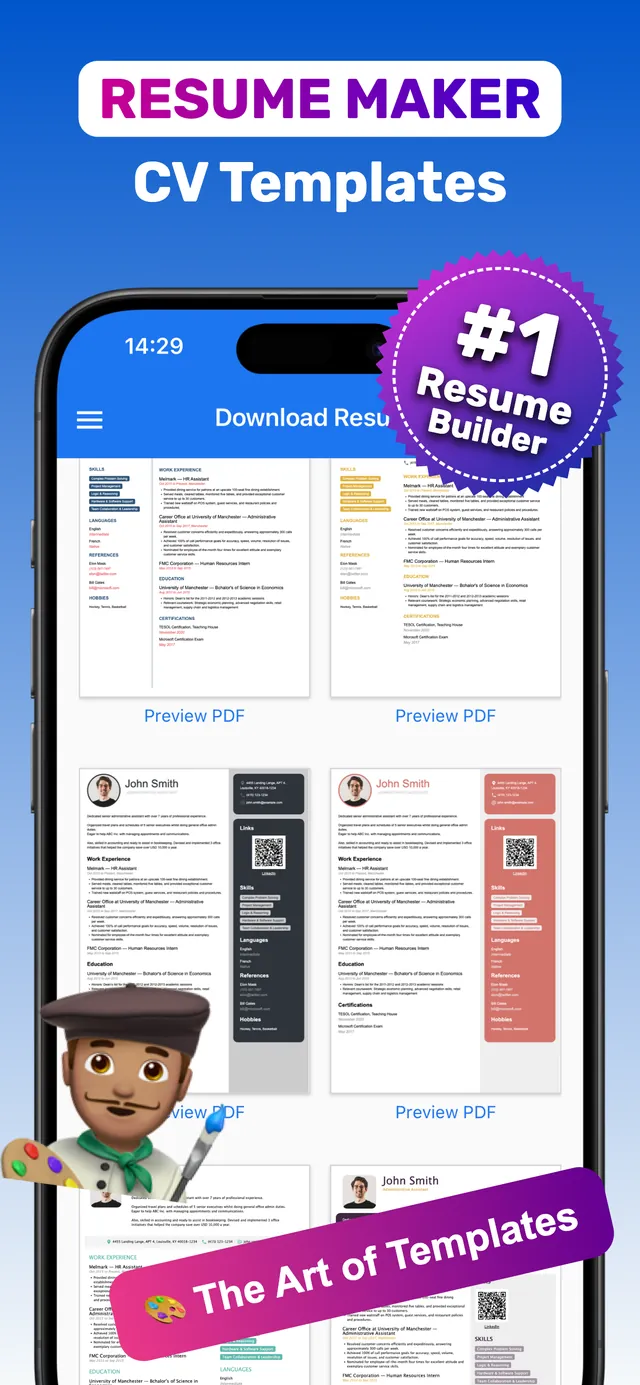
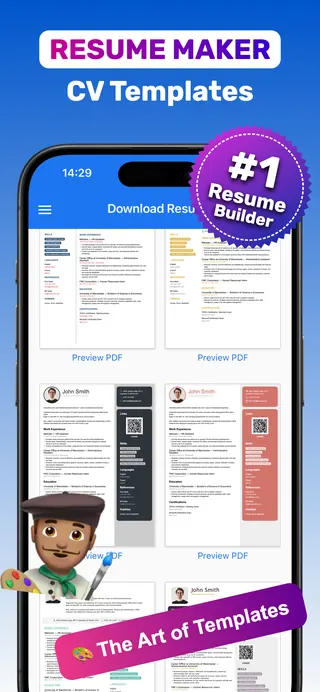
100+ resume & CV templates
Browse professional designs for every industry and career level, then preview any template as a PDF before you commit.
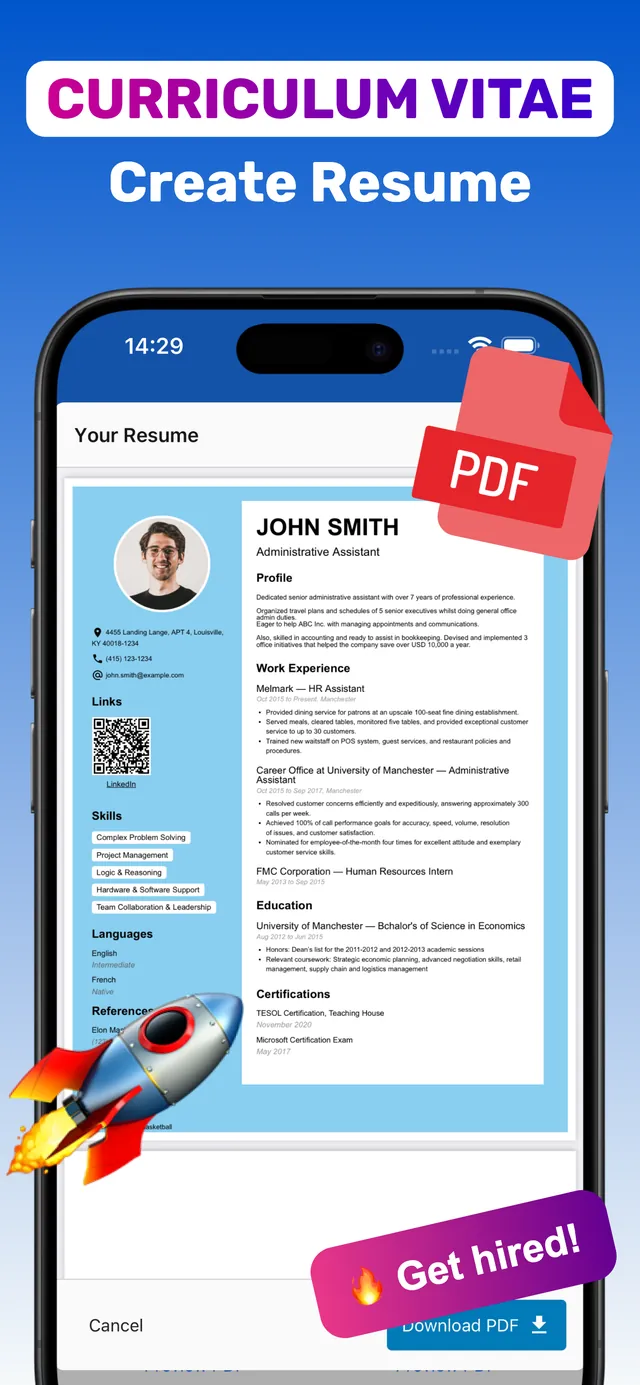
A finished CV, ready to send
Photo, contact details, links and a scannable QR code are laid out for you. Tap Download PDF and you are done.
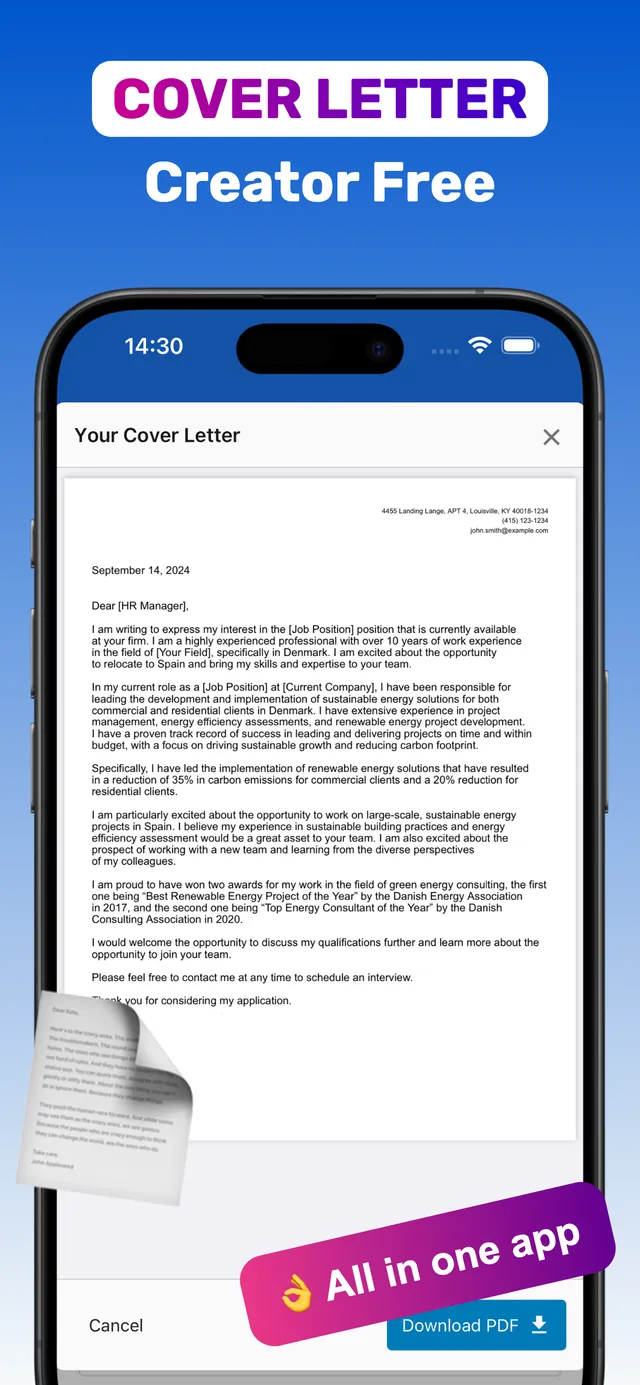
Matching cover letters
Write a cover letter in the same app and export it as a PDF that matches your resume.
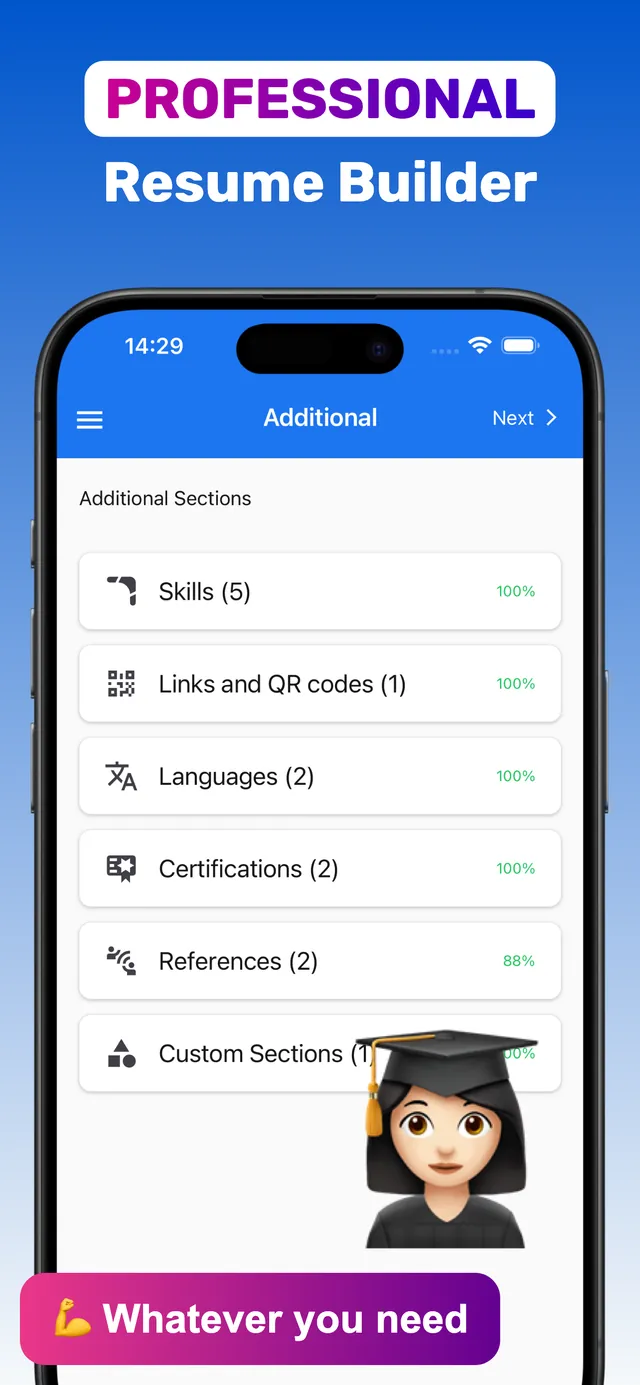
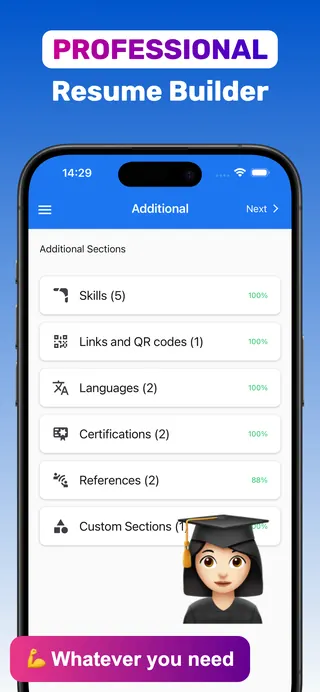
Every section you need
Skills, languages, certifications, references, links & QR codes, plus custom sections for anything else.
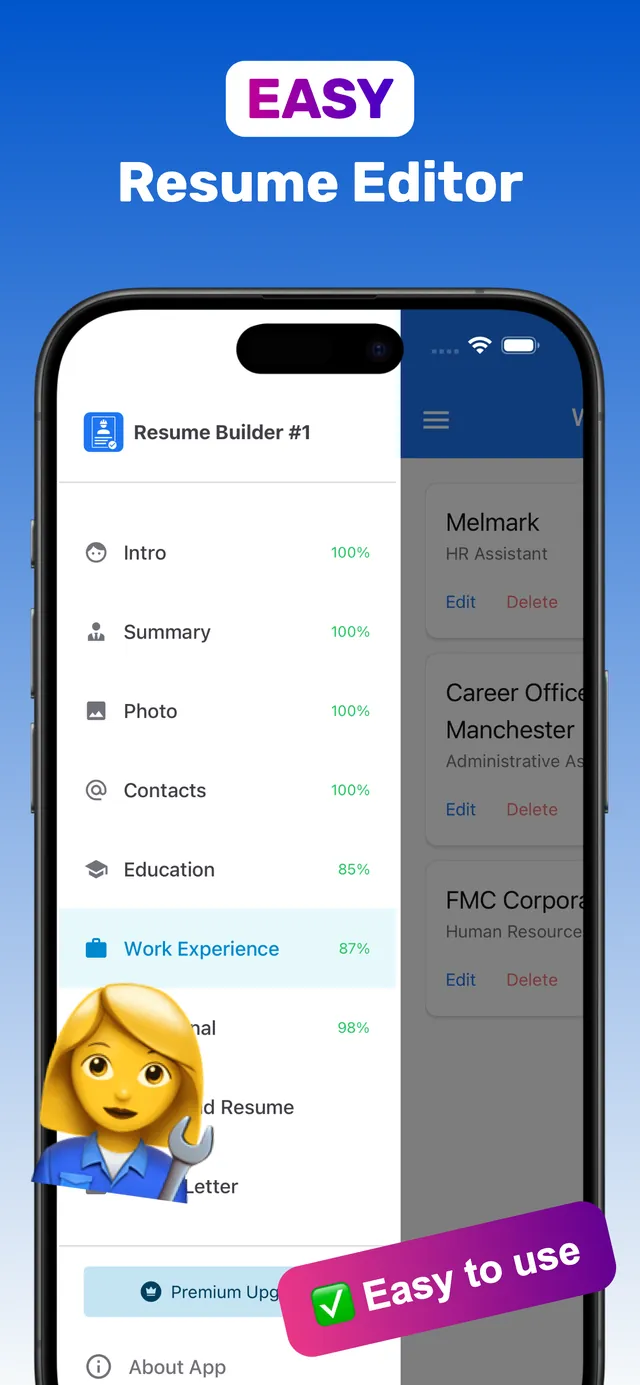
Guided, easy editor
Each section shows its completion percentage, and you can keep several resumes for different jobs.
From blank page to PDF resume in 4 steps
The guided editor tells you what each section needs, so you never miss the essentials employers look for.
Enter your details
Guided sections — intro, summary, photo, contacts, education, work experience — show what to write and how complete you are.
Add what makes you stand out
Skills, languages, certifications, references, links & QR codes, signature, or any custom section.
Pick one of 100+ templates
Switch designs anytime and tap Preview PDF to see your real content in each layout.
Download PDF and apply
One tap exports a print-ready PDF. Add a matching cover letter and send both.
Resume & CV guides
Step-by-step answers to the questions job seekers search for most — each with how to do it in CV Builder.
How to Make a Resume on iPhone in 15 Minutes
The fastest way to go from blank screen to a job-ready PDF — without a laptop.
Read guide iPhone how-toHow to Save Your Resume as a PDF on iPhone
Three reliable ways to get a PDF resume out of your iPhone and into an application.
Read guide App guideCV Maker App: Create a Professional CV on Your Phone
What a CV maker app does, what your CV must include, and how to finish one today.
Read guide Cover lettersHow to Write a Cover Letter on Your iPhone
A 4-paragraph template, examples, and how to export a matching PDF from your phone.
Read guide Stand outHow to Add a QR Code to Your Resume
Link printed resumes to your LinkedIn or portfolio — and where to place the code.
Read guide StrategyHow to Tailor Your Resume to Each Job
A repeatable 10-minute routine to match every application to the job ad.
Read guide Buyer’s guideHow to Choose the Best Resume Builder App for iPhone
An honest 8-point checklist to pick a resume app that won’t waste your time.
Read guide Writing guideHow to Write a CV That Gets Interviews
A section-by-section walkthrough with examples, length rules and mistakes to avoid.
Read guide Students & first jobsHow to Make a Resume With No Work Experience
Turn school, projects, volunteering and part-time gigs into a first resume that gets calls.
Read guide TemplatesHow to Choose a Professional Resume Template
Match a template to your industry, seniority and how you’ll apply — in 3 decisions.
Read guide Writing guideResume Summary Examples (and How to Write Yours)
A simple 3-part formula and copy-ready summaries for every career stage.
Read guide Job portalsHow to Make an ATS-Friendly Resume
The format rules and keyword habits that keep your resume readable by job portals.
Read guide ExplainerCV vs Resume: What’s the Difference?
Length, purpose and regional differences — plus which one your application needs.
Read guide InternationalShould You Put a Photo on Your CV?
Country-by-country norms, photo tips, and how to add one cleanly.
Read guideQuestions about making a resume with CV Builder
How do I make a resume on my iPhone?
Download CV Builder, fill in the guided sections (contacts, summary, experience, education, skills), choose a template and tap Download PDF. Most people finish in 15–30 minutes.
Learn moreIs CV Builder free?
CV Builder is free to download and comes with a free trial. Premium plans (weekly, monthly, annual or a one-time lifetime option) unlock full access; prices are shown in the app before you buy.
Learn moreHow do I save my resume as a PDF on iPhone?
In CV Builder, tap Preview PDF to check it, then Download PDF to save it to Files or share it by email. The PDF keeps your layout identical on every device.
Learn moreCan I write a cover letter in the app?
Yes. CV Builder includes a cover letter creator that matches your resume design and exports as PDF.
Learn moreWhich resume template should I choose?
Pick by industry and how you’ll apply: classic single-column for conservative fields and online portals, modern two-column for tech and creative roles. CV Builder has 100+ templates you can preview with your own content.
Learn moreAre CV Builder resumes ATS-friendly?
CV Builder exports text-based PDFs with standard section names. For large-company portals, choose a simple single-column template and mirror the job ad’s keywords.
Learn moreCan I make a resume with no work experience?
Yes. Put education first and use custom sections for projects, volunteering or activities — the app’s guided flow makes a strong one-page first resume.
Learn moreCan I keep different resumes for different jobs?
Yes. Store multiple resumes in the app and tailor the summary, skills and bullet order for each type of role.
Learn moreCan I add a photo, signature or QR code?
Yes. CV Builder has Photo and signature options and a Links & QR codes section that turns your LinkedIn or portfolio URL into a scannable code.
Learn moreWhat is the difference between a CV and a resume?
In the US and Canada a resume is a 1–2 page job document and a CV is a longer academic record; in the UK, Europe and most other countries “CV” means the job document. CV Builder makes both.
Learn moreDoes it work on iPad?
Yes. CV Builder runs on both iPhone and iPad (iOS 18.6 or later), and the larger iPad screen makes previewing your resume easier.
Learn moreIs my data private?
Your resume data is stored on your device. The App Store privacy label lists only purchases and identifiers, not linked to your identity, and your personal information is not sold.
Learn moreCreate your resume now — send it today
Join job seekers who rate CV Builder 4.8★. Download free, pick a template and export your first PDF in minutes.