- A CV maker separates your content from the design, so you can switch templates without retyping.
- Core sections: personal details, profile, work experience, education, skills; add languages and certifications for international roles.
- Keep a UK/EU-style CV to 2 pages; academic CVs can be longer.
- Export to PDF and name the file clearly.
What does a CV maker app do?
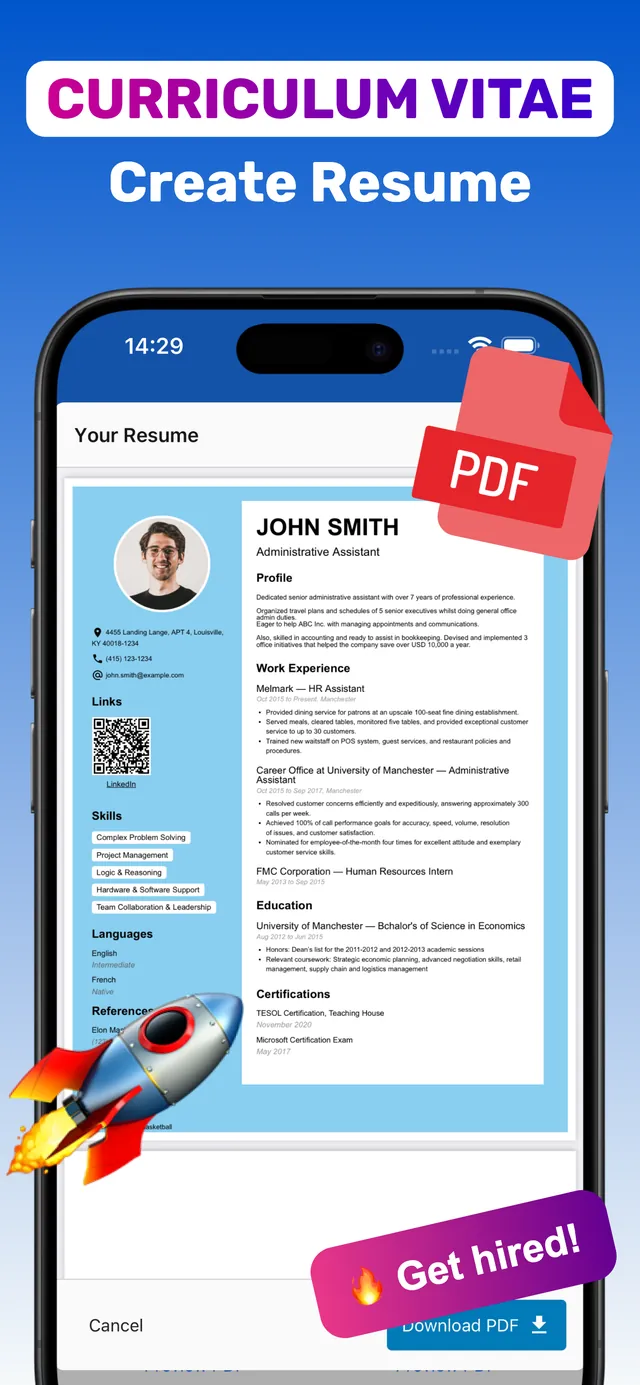
Instead of wrestling with a word-processor template, you fill in structured fields — job title, employer, dates, bullet points — and the app lays them out in a professionally designed template. Change the template and your content flows into the new design instantly. When you’re done, you export a PDF.

Skip the formatting — build it in CV Builder.4.8★ from 148 ratings · iPhone & iPad · Free to download

What to include in your CV
| Section | What to write |
|---|---|
| Personal details | Name, phone, email, city/country, LinkedIn. A photo is common in much of Europe, Asia and Latin America — see CV with photo. |
| Profile | 2–4 lines on who you are and what you offer. |
| Work experience | Most recent first; achievements, not duties. |
| Education | Degree, institution, dates; grades if strong and recent. |
| Skills | Technical tools, methods, soft skills backed by evidence. |
| Languages | Use levels such as Native, Fluent, B2. |
| Certifications | Name, issuer, year. |
| References | “Available on request” or 1–2 contacts if asked. |
Not sure whether you need a CV or a resume? Read CV vs resume.
Choosing a CV design
- Conservative fields (banking, law, public sector): single column, minimal colour.
- Creative and tech: two columns, accent colour, skill blocks are fine.
- Applying through online portals: favour simpler layouts — see ATS-friendly resume.
Make your CV with CV Builder
CV Builder (App Store name: “CV Maker – Job Resume Creator”) is a CV maker for iPhone and iPad.
- Install CV Builder. Free to download from the App Store.
- Enter your details. Work through Intro, Summary, Photo, Contacts, Education and Work Experience.
- Add CV extras. Languages, Certifications, References, Links & QR codes, or custom sections.
- Pick from 100+ templates. Preview each one as a PDF with your own content.
- Download PDF. Export and send, or print.
The app interface is available in English, Spanish, French, Portuguese, Italian, German, Turkish, Ukrainian and Russian.
Frequently asked questions
Is there a free CV maker app?
CV Builder is free to download and includes a free trial; premium plans unlock full access. Prices are shown in the app before you pay.
Can I make a CV on my phone?
Yes. A CV maker app guides you through each section and exports a professional PDF directly from your iPhone or iPad.
Can I add a photo to my CV in the app?
Yes, CV Builder has a Photo section and also supports adding a signature.
Ready? Make yours on your iPhone now.4.8★ from 148 ratings · iPhone & iPad · Free to download