- Non-negotiables: clean PDF export, templates that don’t break with long text, and the ability to edit later.
- Nice to have: matching cover letters, photo/signature, QR code or links, multiple saved resumes.
- Check where your data is stored and whether the pricing is clear before you type everything in.
- Test with your real content — preview a PDF before you commit to a template.
The 8-point checklist
- PDF quality. Text should be real, selectable text (not an image) so applicant tracking systems can read it. Margins and fonts should match the preview.
- Template range. You want conservative options (finance, law, government) and modern ones (design, tech, marketing). A larger library means you are less likely to look like every other applicant.
- Guided sections. The app should prompt for summary, experience, education and skills so nothing important is missed.
- Custom sections. Certifications, languages, volunteering, projects — you need flexibility beyond the basics.
- Cover letters. A matching cover letter in the same design makes your application look finished.
- Multiple resumes. Tailoring a resume to each job gets more interviews; the app should let you keep several versions.
- Privacy. A resume contains your phone, email and job history. Prefer apps that store data on your device and say so in their App Store privacy label.
- Transparent pricing. Many apps are free to try and charge to unlock everything. Look for a free trial and a one-time (lifetime) option if you don’t want a subscription.
Skip the formatting — build it in CV Builder.4.8★ from 148 ratings · iPhone & iPad · Free to download

Red flags to watch for
- Exports that add a watermark you only discover at the end.
- Templates that cut off text or overflow to a mostly empty second page.
- No way to edit the resume later — you have to start over for each job.
- Requiring an account and cloud upload just to try the app.
iPhone or iPad?
Both work. iPhone is ideal for quick edits and sending an application on the go. iPad gives you a bigger preview and split view, so you can keep the job ad open next to your resume. A universal app lets you do both.
How CV Builder scores on the checklist
We built CV Builder (listed on the App Store as “CV Maker – Job Resume Creator”) around exactly these points:
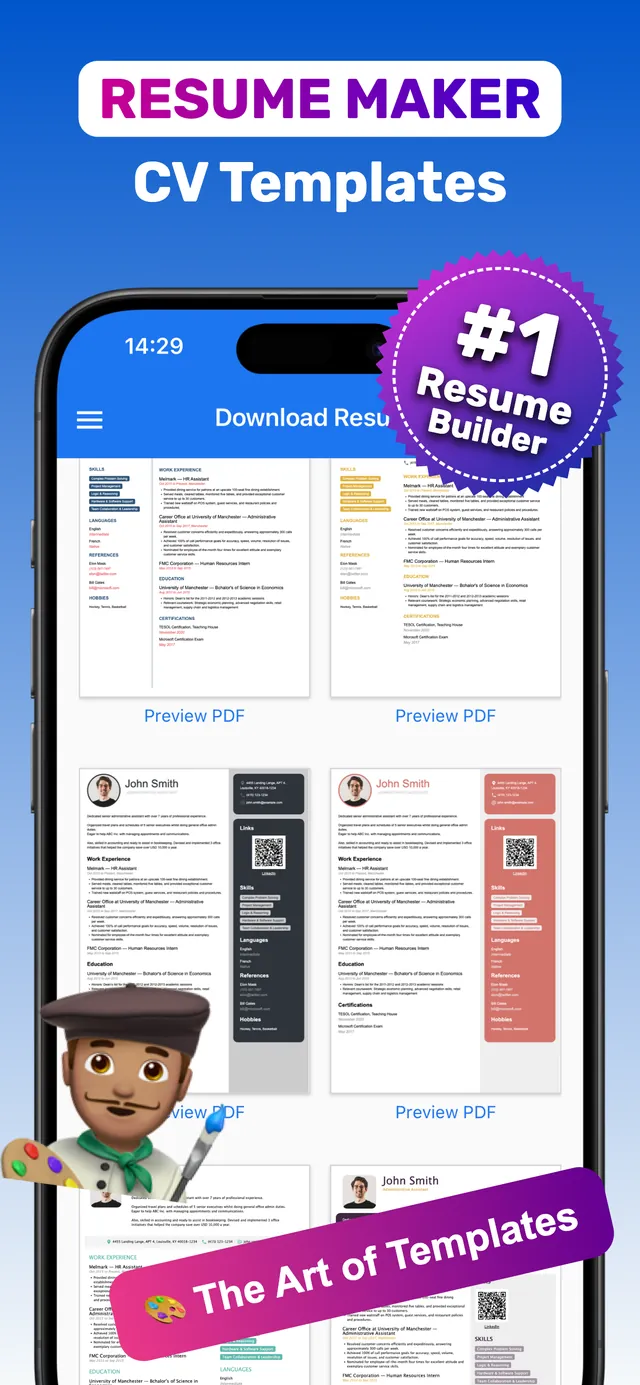
- PDF export. One-tap Download PDF for resumes and cover letters, with Preview PDF before you export.
- 100+ templates. Modern minimalist to classic corporate, for every career level.
- Guided + custom sections. Intro, Summary, Photo, Contacts, Education, Work Experience, Skills, Languages, Certifications, References, Links & QR codes and Custom Sections.
- Cover letters, photo & signature. All in the same app.
- Multiple resumes, on-device data. Store several resumes; your data stays on your device. Free to download with a free trial; premium plans include a lifetime option.
Rated 4.8★ from 148 ratings on the US App Store. Works on iPhone and iPad.
Frequently asked questions
What is the best resume builder app for iPhone?
The best app is the one that exports a clean, text-based PDF, offers a wide range of templates, lets you keep multiple versions and stores your data privately. CV Builder covers all of these with 100+ templates and one-tap PDF export.
Are resume builder apps free?
Most are free to download and try; full access (all templates, unlimited exports) is usually a paid upgrade. Check for a free trial and a lifetime option.
Can I use a resume app on iPad?
Yes — universal apps such as CV Builder run on both iPhone and iPad, and the larger screen makes previewing easier.
Ready? Make yours on your iPhone now.4.8★ from 148 ratings · iPhone & iPad · Free to download