- Use a dedicated resume app, not Notes or Pages — it handles layout, fonts and margins for you.
- Fill sections in this order: contact → summary → experience → education → skills.
- Pick a simple one- or two-column template and keep it to 1 page (2 max with 10+ years of experience).
- Export as PDF, name it FirstName-LastName-Resume.pdf, and send it from Mail or upload it to the job site.
Before you start: gather these 6 things
Most of the time spent making a resume on a phone is hunting for details. Collect them first and the typing takes minutes:
- Contact details — full name, city and country (no full street address needed), phone, professional email.
- Job history — employer, job title, start/end month and year for each role in the last 10–15 years.
- 2–4 achievements per role — ideally with numbers (“cut response time by 30%”, “managed 12 accounts”).
- Education — school, degree or qualification, graduation year.
- Skills — 6–10 hard skills from the job ads you are targeting, plus languages and certifications.
- Links — LinkedIn profile or portfolio URL.
Tip: open the job posting in Safari and keep it in split view on iPad (or a second tab on iPhone). You will mirror its wording later.
Skip the formatting — build it in CV Builder.4.8★ from 148 ratings · iPhone & iPad · Free to download

Pages, Word or a resume app — which should you use on iPhone?
| Resume builder app | Pages / Word template | Notes app | |
|---|---|---|---|
| Formatting | Automatic | Manual, breaks easily on a small screen | None |
| Guided sections | Yes | No | No |
| PDF export | One tap | Via Share → Export | Print to PDF workaround |
| Multiple versions | Built in | Duplicate files | — |
| Best for | Building from scratch on the phone | Editing an existing .docx | Drafting bullet points |
Editing a Word template on a 6-inch screen is where most people give up: text boxes shift, fonts substitute and bullets misalign. A resume builder separates content (what you type) from design (the template), so the layout can’t break.
The resume structure that works for most jobs
- Header: name, target job title, phone, email, city, LinkedIn.
- Professional summary: 2–3 lines — who you are, years of experience, your strongest result. See our resume summary examples.
- Work experience: reverse-chronological, 3–5 bullets each, starting with an action verb.
- Education: move it above experience if you are a student or recent graduate.
- Skills: match the exact terms used in the job ad (important for ATS systems).
- Optional: languages, certifications, projects, references.
Strong: Grew Instagram following from 4k to 19k in 8 months by launching a weekly video series.
Formatting rules recruiters expect
- One page if you have under ~10 years of experience; two pages maximum.
- One readable font, 10–12 pt body text, consistent date format (e.g. Mar 2022 – Present).
- No spelling mistakes — read it once on the PDF preview, not just in the editor.
- Save and send as PDF unless the employer asks for Word. PDF keeps your layout identical on every device.
How to make your resume on iPhone with CV Builder
CV Builder walks you through each section and handles the design, so you only type content.
- Download and open CV Builder. Install it free from the App Store and tap to create a new resume.
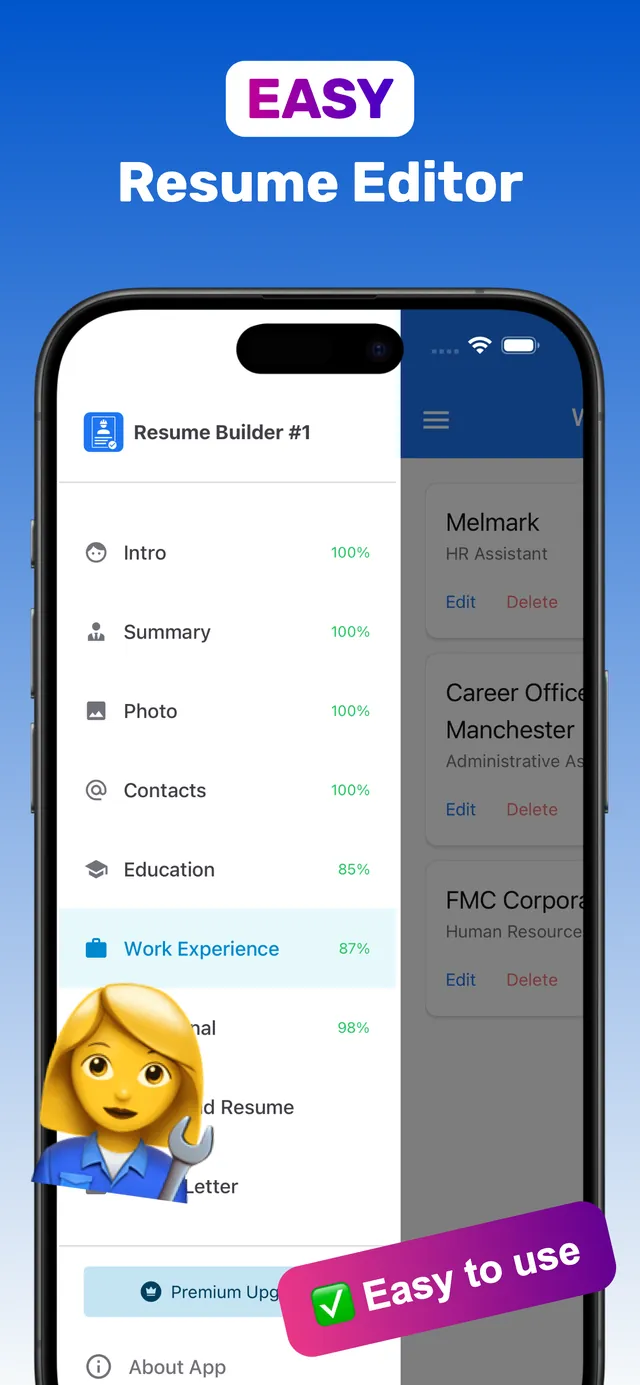
- Fill in the guided sections. Intro, Summary, Photo, Contacts, Education and Work Experience. A completion percentage shows what is still missing.
- Add extra sections. Skills, Languages, Certifications, References, Links & QR codes, or a custom section.
- Choose a template. Browse 100+ templates and tap Preview PDF to see your real content in each design.
- Export the PDF. Tap Download PDF, then save it to Files or share it by email or messenger.
Applying to several roles? Keep a separate resume per job type — see how to tailor your resume.
Frequently asked questions
Can I make a professional resume on my iPhone?
Yes. With a resume builder app you enter your details section by section and the app formats them into a professional template, then exports a PDF you can email or upload to job sites.
What is the best free way to make a resume on iPhone?
A dedicated resume app that is free to download is the quickest route because it handles layout for you. Pages is free too but requires manual formatting, which is fiddly on a phone screen.
How long does it take to make a resume on a phone?
About 15–30 minutes if you gather your job history, dates, education and skills before you start.
Ready? Make yours on your iPhone now.4.8★ from 148 ratings · iPhone & iPad · Free to download