Quick answer
- 4 paragraphs, 250–350 words.
- Open with the role and your strongest qualification; close with a clear next step.
- Mention the company by name and one specific thing you like about it.
- Use the same design as your resume and send both as PDFs.
The 4-paragraph structure
- Hook: the role you want and why you’re a strong match (1–2 sentences).
- Proof: one or two achievements that match the job’s top requirements.
- Fit: why this company — product, mission, recent news.
- Close: thank them and suggest a conversation.
Skip the formatting — build it in CV Builder.4.8★ from 148 ratings · iPhone & iPad · Free to download

Copy-ready cover letter template
Dear [Hiring Manager’s name],
I’m applying for the [Job Title] role at [Company]. With [X years] of experience in [field] and a track record of [key result], I’m confident I can help your team [goal from job ad].
At [Previous Company], I [achievement with number]. I also [second achievement relevant to the ad].
I’m drawn to [Company] because [specific reason]. I’d love to bring [skill] to [team/project].
Thank you for your time — I’d welcome the chance to discuss how I can contribute.
Sincerely,
[Your Name]
I’m applying for the [Job Title] role at [Company]. With [X years] of experience in [field] and a track record of [key result], I’m confident I can help your team [goal from job ad].
At [Previous Company], I [achievement with number]. I also [second achievement relevant to the ad].
I’m drawn to [Company] because [specific reason]. I’d love to bring [skill] to [team/project].
Thank you for your time — I’d welcome the chance to discuss how I can contribute.
Sincerely,
[Your Name]
Cover letter tips
- Find the hiring manager’s name on LinkedIn; avoid “To whom it may concern”.
- Don’t repeat your resume — add context and motivation.
- Match the language of the job ad.
- Proofread on the PDF preview.
Create a matching cover letter in CV Builder
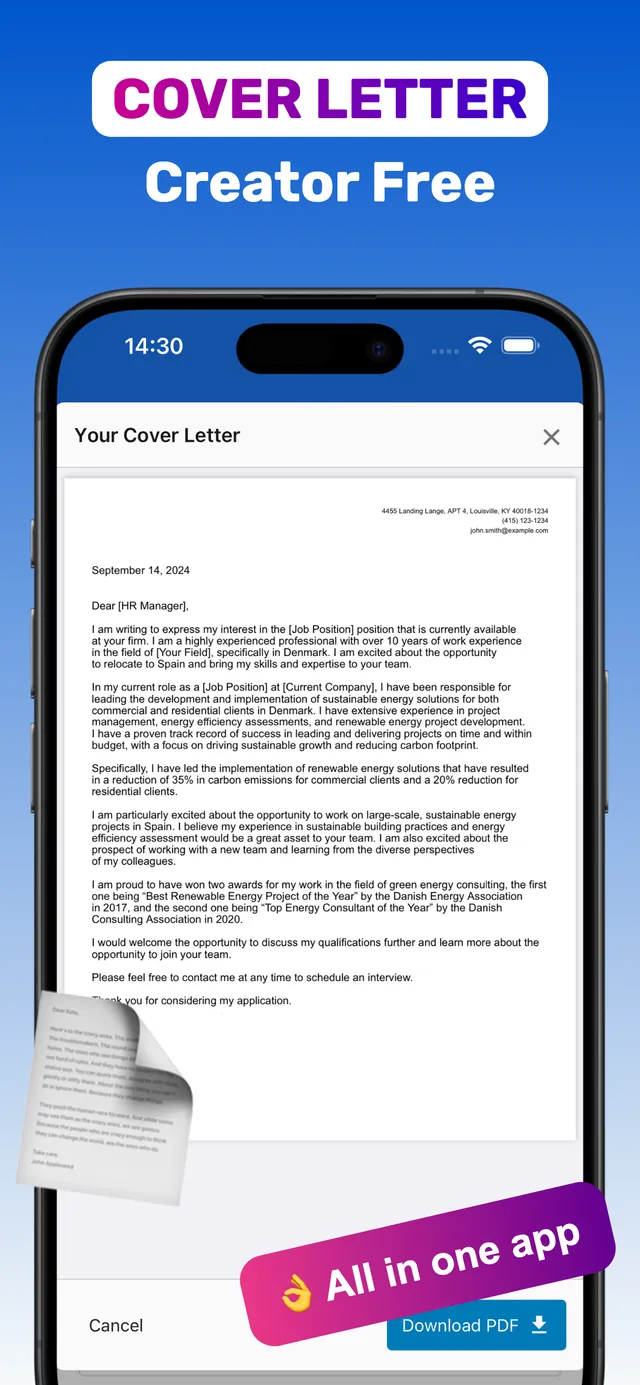
CV Builder includes a cover letter creator, so your letter and resume share one design.
- Open your resume in CV Builder. Your contact details are already there.
- Go to Cover Letter. Write or paste your four paragraphs.
- Preview. Check it fits on one page.
- Download PDF. Send it together with your resume PDF.
Frequently asked questions
Is there an app to write cover letters?
Yes. CV Builder includes a cover letter creator alongside its resume builder, and exports both as matching PDFs.
How long should a cover letter be?
250–350 words, or about three to four short paragraphs on one page.
Do I still need a cover letter?
Not always, but when one is optional, a tailored letter helps you stand out — especially for career changers and entry-level candidates.
Ready? Make yours on your iPhone now.4.8★ from 148 ratings · iPhone & iPad · Free to download